⭐ Most popular
 Private Voice Hosting (Mumble)
Dedicated, invite-only voice server for small groups. Provisioned and maintained.
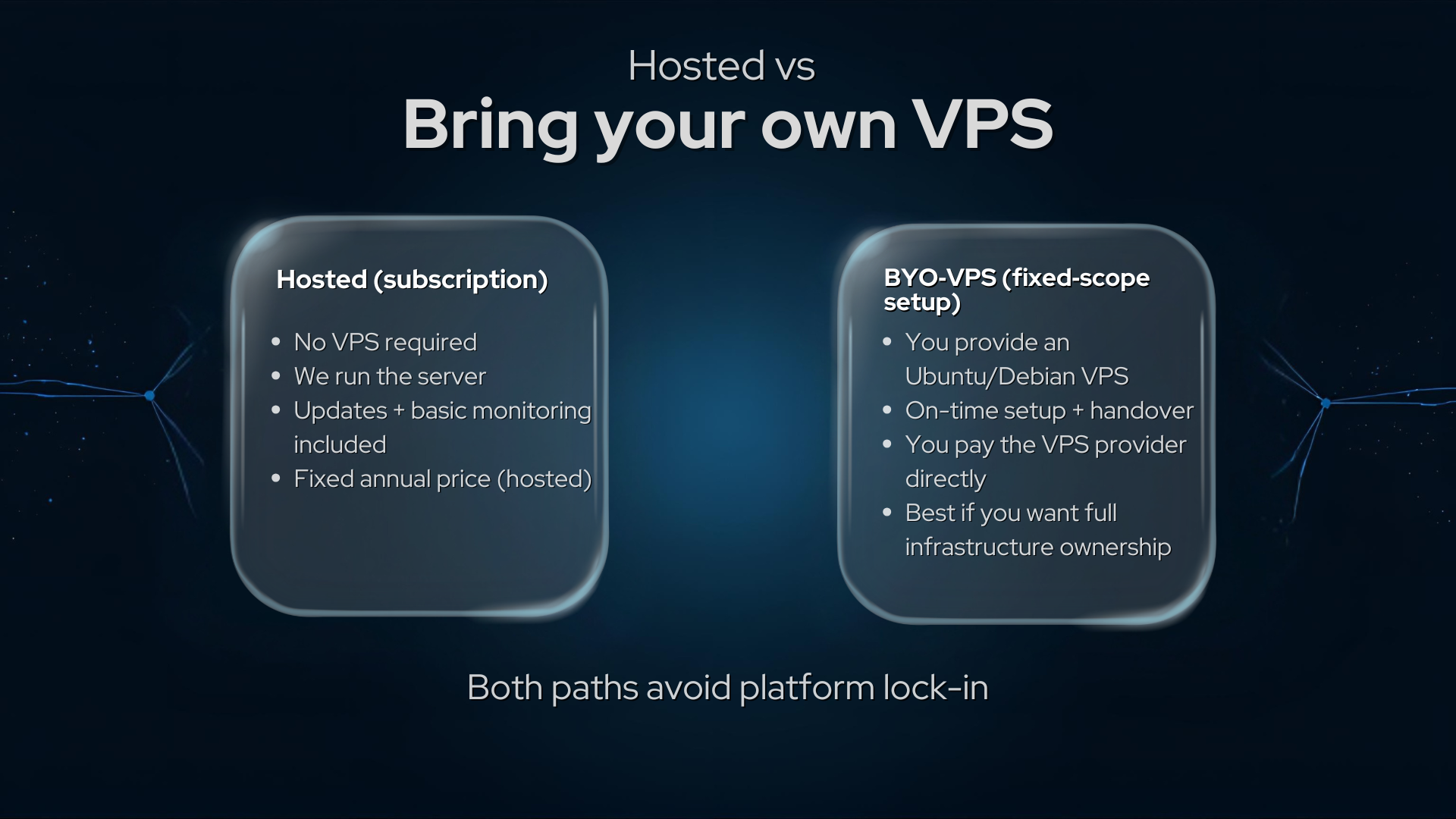
- Hosted subscription: no VPS required
- Not publicly listed
- Low-latency voice
- Optional custom domain
No VPS required (hosted option).
 Server Hardening & Security Audits
Ideal if you’re self-hosting Mumble or another service and want professional security without ongoing management.
- Checklist-driven baseline hardening for Ubuntu/Debian VPS
- SSH hardening + access sanity
- Firewall baseline (host + provider alignment)
- Fail2ban + automatic security updates (where appropriate)
BYO VPS required (Ubuntu/Debian; see BYO note above).
 VPN Installation (WireGuard)
Great for secure remote access to your private voice server or other services — split-tunnel is recommended for most groups.
- WireGuard install with client profiles and documented handover
- Server setup + firewall/NAT as scoped
- Client profiles (QR codes where relevant)
- Clear routing choice (split vs full tunnel)
BYO VPS required (Ubuntu/Debian; see BYO note above).
 Managed Hosting
Ongoing care for small private services: updates, monitoring, and fixes quoted based on scope.
- Proactive maintenance
- Monitoring + alerts (if required)
- Defined support boundaries
- Privacy first
We can host for you, or support your existing VPS.
 Custom Setup Support
Defined-scope help for private comms infrastructure, DNS, migrations, and tidy-up work.
- Quote first; no open-ended tickets
- Supported OS: Ubuntu/Debian (default)
- Redaction-first handling
Usually BYO VPS unless agreed otherwise.
Want us to run it for you?
If you want the migration delivered as applied infrastructure, we can handle the setup and handover.
- Hosted: we run the voice server (no VPS required)
- BYO VPS: fixed-scope setup on your existing VPS
Calm, documented, reversible changes where possible.
Decision checklist
When a private server makes sense
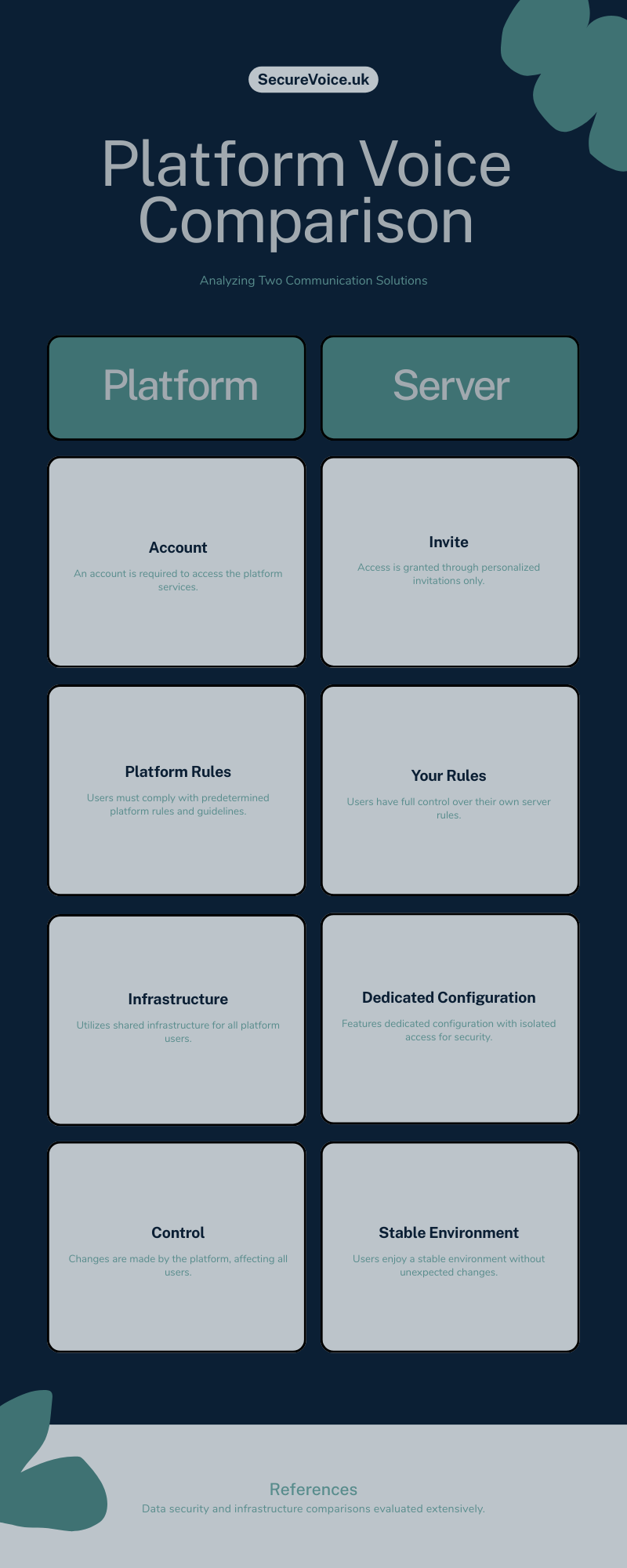
A neutral checklist before you commit. View checklist image (PNG)
- You’re tired of platform upsells, ads, or voice chat drama.
- You want no voice logs and tighter invite control.
- Your group is small (usually under 10) and privacy matters.
- You prefer predictable, fixed-scope support over platform dependency.
Preview checklist
All work is fixed-scope and documented. No hidden subscriptions in these gigs — pay per service. Questions? Use the contact form on the Home page or message via Fiverr.